
User`s manual




68
3-4-6 Setup procedure for ‘DNS’:
If you select ‘Dynamic IP’ or ‘PPPoE’ as Internet connection method, at
least one DNS server’s IP address should be assigned automatically.
However, if you have preferred DNS server, or your service provider didn’t
assign the IP address of DNS server, you can input the IP address of DNS
server here.
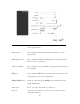
Primary DNS (1): Please input the IP address of DNS server provided by your
service provider.
Secondary DNS (2): Please input the secondary IP address of DNS server provided
by your service provider.
After you finish with all settings, please click ‘Apply’ (3) button and the
following message will be displayed on your web browser:
NOTE: Only IP address can be entered here; DO NOT use the hostname
of DNS server! (i.e. only numeric characters and dots are accepted)
10.20.30.40……………………………………………………………… Correct
dns.serviceprovider.com…………………………………………... Incorrect
1
2
3