
User`s manual


114
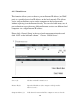
TCP Port to Open (4): This is the out going (Outbound) range of TCP port numbers for
this particular application.
UDP Port to Open (5): This is the out going (Outbound) range of UDP port numbers
for this particular application.
Comment (6): The description of this setting.
Pop. Applications: This section lists the more popular applications that
(7): require multiple connections. Select an application
from the Popular Applications selection and click ‘Add’ to save
the setting to ‘Current Trigger-Port Table.’
Add (8): Add the setting to the ‘Current Trigger-Port Table.’
Reset (9): Click ‘Reset’ will clear all above setting and you can set up
again.
Current Trigger-Port All the settings for the special applications will be
(10): listed here. If you want to remove some Special Application
settings from the " Current Trigger-Port Table", select the
Special Application settings you want to remove in the table and
then click "Delete Selected". If you want remove all Special
Appliacation settings from the table, just click "Delete All"
button. Click "Reset" will clear your current selections.
Delete Selected (11): Please select a special application by clicking the
‘Select’ box of the mapping, then click ‘Delete Selected’ button
to remove the setting. If there’s no setting here, this button will
be grayed out.
Delete All (12): Delete all settings existed in trigger port table.
Reset (13): Unselect all settings.