
User`s manual


111
router will be listed here. You can easily to select the computer
name without checking the IP address of the computer.
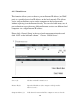
Private Port (4): Input the port number of the IP address which provides
Internet service.
Type (5): Select the type of connection, TCP or UDP. If you’re not sure,
please select ‘Both’.
Public Port (6): Please select the port number of Internet IP address which will
be redirected to the port number of local IP address defined
above.
Comment (7): Please input any text to describe this mapping, up to 16
alphanumerical characters.
Add (8): Add the mapping to virtual server table.
Reset (9): Remove all inputted values.
Virtual Server All existing virtual server mappings will be displayed here.
Table (10):
Delete Please select a virtual server mapping by clicking the
Selected (11): ‘Select’ box of the mapping, then click ‘Delete Selected’ button
to remove the mapping. If there’s no existing mapping, this
button will be grayed out.
Delete All (12): Delete all mappings existed in virtual server table.
Reset (13): Unselect all mappings.
After you finish with all settings, please click ‘Apply’ (14) button and the
following message will be displayed on your web browser: