
User's Manual




English _ 37
ADDITIONAL FEATURES
additional features
SSA-S2000V
tGj
SSA-S2000V
SSA-S2000V
tGj
SSA-S2000V
MUTE
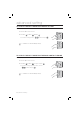
You can mute the keypad tone or melody in normal operation.
Present the Master Card to the device.
Press Button
and Button in sequence and press .
To release the setting, repeat Step 1 above, select the
< > buttons and press
.
By default, it is set to “enabled”.
TO SPECIFY THE USE OF THE TAMPER ALARM
You can maintain the alarm setup in normal operation and release it in case of a service repair requiring the dismantlement
of the device. You must set the alarm mode when you have installed the device.For the alarm output port settings, refer to
“To specify the alarm output port for the dismantled device” on page 26.
Present the Master Card to the device.
Press Button
twice and press .
To release the alarm setting for the dismantled device, repeat Step 1
above, select the
< > buttons and press
.
The default is set to “disabled”.
You can release the alarm for the dismantled device by presenting the Master
Card or a registered card.
1.
2.
•
M
1.
2.
•
M