
User's Manual




English _ 35
ADVANCED SETTING
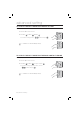
TO SPECIFY THE INPUT MODE FOR AUX 2
You can specify an operation for the auxiliary port 2 when it switches from LOW (0V) to HIGH (5V).
Present the Master Card to the device.
Press Button
and Button in sequence and press .
To release the setting, press the
< > buttons and press
.
The default is set to “switch from HIGH(5V) to LOW(0V)”.
TO SPECIFY THE INPUT MODE FOR AUX 3
You can specify an operation for the auxiliary port 3 when it switches from LOW (0V) to HIGH (5V).
Present the Master Card to the device.
Press Button
and Button in sequence and press .
To release the setting, repeat Step 1 above, select the
< > buttons and press
.
The default is set to “switch from HIGH(5V) to LOW(0V)”.
1.
2.
•
M
1.
2.
•
M
SSA-S2000V
tGj
SSA-S2000V
SSA-S2000V
tGj
SSA-S2000V