
User's Manual




32_ I/O time setup
I/O time setup
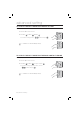
TO ACTIVATE OR DEACTIVATE THE DOOR RELAY BY THE DOOR
CONTACT SENSOR
You can set the Door Contact Sensor to control the door lock. This is to allow the Door Contact Sensor to control the door
relay where the sensor keeps the door relay active from the normal opening of the door to its closing.
This is useful when the door stays open with just one authentication.
Present the Master Card to the device.
Press Button
and Button in sequence and press .
To release the control by the Door contact Sensor, repeat Step 1 above,
select the <
> buttons and press
.
The default is set to “disabled”.
1.
2.
•
M
SSA-S2000V
tGj
SSA-S2000V