
User's Manual





English _ 25
BASIC SETUP
TO SPECIFY THE OPERATION TIME OF THE DOOR CONTACT SENSOR
The Door Contact sensor detects the opening of the door.
If the door is forcibly opened by an unregistered user, the Door Contact Sensor will perform the predefi ned alarm
operation after the set time. (For setting the alarm operation time, refer to the alarm output for an input error of the
Door Contact Sensor on page 30.)
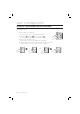
Present the Master Card to the device.
Press Button
and Button in sequence and press .
Enter the two-digit operation time (unit: second) and press
.
The default is set to “00” second, which means the Door Contact Sensor is
disabled.
You can specify from 01 to 99.
TO SPECIFY THE LIMITED TIME FOR THE KEYPAD INPUT
When it passes a certain time during your setting using the keypad , all your settings will be ignored and return to the initial
state.
Specify the delay time between the input of the last key and restoring the previous state.
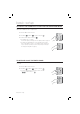
Present the Master Card to the device.
Press Button
and Button in sequence and press .
Enter the two-digit operation time (unit: second) and press
.
The default is set to “20” second.
You can specify from 10 to 99.
1.
2.
3.
•
•
1.
2.
3.
•
SSA-S2000V
tGj
SSA-S2000V
SSA-S2000V
tGj
SSA-S2000V