
Specifications

29
English
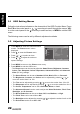
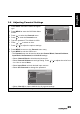
3.6 Adjusting Parental Settings
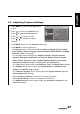
1 Press INPUT and select TV as the signal
type.
2 Press MENU to enter the OSD Main Menu
screen.
3 Press to select the Parental menu.
4 Press to enter the Parental menu.
5 Type the password. The default is 0000.
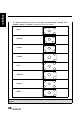
6 Press
/
to select an item.
7 Press
/
to adjust the options settings.
8 Press MENU to return to the Parental menu entry.
9 Press MENU to exit the OSD menu.
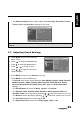
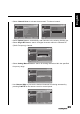
- The Parental menu can be used to adjust the Channel Block, Parental Guidance,
Input Block, Set Password, and Clear All settings.
• Select Channel Block to block desired channels.
• Select Parental Guidance to set Age Rating. Press
/
to adjust the value from
4 to 18 or to set as None.
• Select Input Block to block desired input sources.
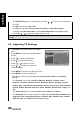
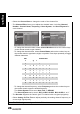
• Select Set Password to change the password.
• Select Clear All to restore defaults for all parental settings.
Note: The Channel Block is only accessible in TV mode.
Picture
Sound
TV
Features
Parental
Channel Block
Parental Guidance
Input Block
Set Password
Clear All
OK Menu
Enter Select Back
Picture
Sound
TV
Features
Parental
New
Confirm
Menu
Back