
Specifications

27
English
3.5 Adjusting Features Settings
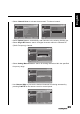
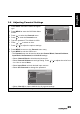
1 Press MENU to enter the OSD Main Menu
screen.
2 Press to select the Features menu.
3 Press to enter the Features menu.
4 Press
/
to select an item.
5 Press
/
to change the options
settings.
6 Press MENU to return to the Features menu entry.
7 Press MENU to exit the OSD menu.
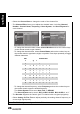
- The Features menu can be used to adjust the Menu Language, Picture Format,
Time, Subtitle, Teletext Language, Common Interface, Reset Default, and HDMI
Scan Info (HDMI only) settings.
• The available menu languages are English, Deutsch, Français, Italiano,
Español, Português, Nederlands, българскй, Dansk, Suomi, Svenska,
Norsk, Polski, Русский, Ceský, Hrvatski, Magyar, Română, Slovenský,
Slovenščina, Srpski, Türkçe, and Ελληνικά, and Українська.
•The Time can be used to adjust theTime Zone, Time, and Sleep Timer settings.
•The Subtitle can be used to adjust the Analog Subtitle, 1st Subtitle, 2nd
Subtitle, and Subtitle Type settings.
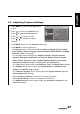
•The Teletext Language can be used to adjust the Digital Teletext Lang. and
Decode Page Lang. settings.
• Select Common Interface to view the CI supplier information.
• Select Reset Default to restore all settings to the defaults.
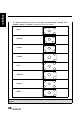
•The HDMI Scan Info can be used to adjust the Automatic, Underscan, and
Overscan settings.
Picture
Sound
TV
Features
Parental
Menu Language
Picture Format
Time
Subitile
Teletext Language
Common Interface
Reset Default
UK
Stereo
OK Menu
Enter Select Exit