
Datasheet




14
English
1.2.2 Control Panel
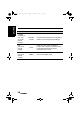
Description Button Function
Power
/On/Off
Turn the TV on or off.
Source
Source/S/ Select the input source to be displayed.
Menu
Menu/M/
Press to open and close the OSD menu.
Channel
select
Channel Up /
CH UP
(U/>/S/+/
^)
Channel
Down / CH
DOWN
(V/</T/-/v)
Channel UP increases the channel
number or moves upward to the previous
item on the OSD menu.
Channel DOWN decreases the channel
number or moves downward to the next
item on the OSD menu.
Volume
adjust
Volume Up /
VOL UP
(+/>/U/
^/S)
Volume
Down / VOL
DOWN
(-/</V/v/T)
Volume UP increases the volume or
moves to the right on the OSD menu.
Volume DOWN decreases the volume or
moves to the left on the OSD menu.
Mute/Auto
Mute/Auto/
A/
Under TV mode, press the button to
eliminate the sound. Press it again or
press the volume adjust buttons directly to
restore sound.
Under PC mode, press it to adjust H.
position and V. position of the screen.
Power
indicator
LED
Indicates power status.
generic_T6_T6.book Page 14 Monday, November 28, 2005 11:22 AM