
User manual




Wireless AP Router HNW300APN2
User Manual 133
18.1 DMZ Host IP Address
Please follow example below to configure the DMZ to Host IP Address.
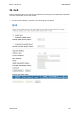
1. From the left-hand Firewall -> DMZ menu. The following page is displayed:
2. Check the option Enable DMZ to enable the Enable DMZ.
3. Enter the IP Address that to be the DMZ Host in DMZ Host IP Address field.
4. Click Apply Changes.