
User guide






21
4.2.5.2 Voice file Playback
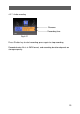
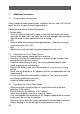
The display with ‘
message on the top left corner represents a voice file.
Press Shutter key to start/stop voice playback.
Adjust audio volume by pushing the joystick
or .
4.2.5.3 Voice annotation to a photo
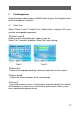
【Record a voice annotation】
Select the picture to which voice
annotation will be attached.
The message “Voice recording” as
shown in Fig. 4-16 appears on the
screen during voice recording,.
To stop the voice annotation, press
Shutter key once again.
【Play the voice annotation】
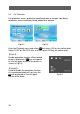
A picture file an
icon on left upper corner
of the display as shown in Fig. 4-17 indicates
this photo includes a voice annotation.
Press Shutter key to playback voice
annotation. To pause, press Shutter key
once again.
Voice annotation play can be repeated.
【Delete voice annotations】
Please see “Delete Files”.
Fig. 4-16
Fig. 4-17
Fig.4-15