
Instruction Manual





9
Model SW-VRS232
3. Configuration and Operation
3.1 Front Panel LED Indicators
The SW-VRS232-2S has two sets of LED indicator lights. The Input Select
LEDs indicate which input is currently selected. The Activity LEDs light when
RS-232 data is being received, and indicate whether it is coming from the local
station or the remote.
3.2 Adjusting Remote video quality for long
cables
The video quality at the remote station depends on: (1) the length of the Cat5
cable, (2) video resolution setting, and (3) refresh rate setting.
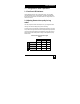
In general, at low and mid resolutions, excellent image reproduction is provided
at up to 500 feet. At high resolution and refresh rates perfect image reproduction
can be achieved at shorter distances (see table below). Using longer cables or
higher resolution rates will still produce an image, but the reproduction quality
will be reduced.
Refresh Rate
60 Hz 75 Hz 85 Hz
800x600 500 ft 500 ft 500 ft
1024x768 500 ft 450 ft 400 ft
1280x1024 400 ft 350 ft 300 ft
Resolution
1600x1200 300 ft 300 ft 300 ft
Maximum Recommended Cable Lengths
Table 3.1