
Use and Care Manual


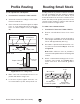
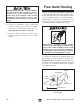
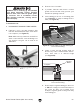
Table Of Contents

Model T28780 T28781 (Mfd. Since 04/20)
-33-
Adjusting
Router Height
Using Table Insert
The Model T28780/T28781 comes with a 1
1
⁄4"
table insert (see Figure 50) that snaps into the
center of the mounting plate and provides addi-
tional safety and control near the router bit during
router operations.
Figure 50. Location of table insert.
Table Insert
To adjust router height:
1. DISCONNECT MACHINE FROM POWER!
2. Insert crank handle into index ring (see
Figure 48) on mounting plate.
The Model T28780/T28781 is equipped with a
manually operated router lift that can be adjusted
via the index ring in the mounting plate.
3. Turn handle clockwise to raise router; turn
handle counterclockwise to lower router.
Note: One full rotation moves lift 0.05".
4. Secure height setting by turning lock screw
(see Figure 48) clockwise until it engages
rocker arm beneath mounting plate. Ensure
lock screw is snug, but do not overtighten.
5. Underneath mounting plate, tighten lock
screw jam nut (see Figure 49) against plate
to secure position.
Figure 48. Lift crank handle installed in table.
Index
Ring
Lock
Screw
Crank
Handle
Figure 49. Location of lock screw components.
Rocker Arm
Jam Nut
Lock
Screw