
Owner manual


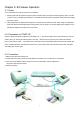



1-2. EZ-Viewer Accessories
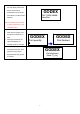
EZ-Viewer RS232 Cable CD
After unpacking, please check the accessories that come with the package, and store them appropriately.
1. EZ-Viewer 3. CD (including Software/Manual)
2. RS232 Cable
1-3. EZ-Viewer Hardware
Please use the following diagrams to identify each EZ-Viewer part.
1. Three bi-color LED lamps
Power (green)ΕReady (green)ΕError (red).
2. Back-light Graphic LCD Display 128(W) × 64(H) dot: to show status of the Logo & printer
3. Three Feed Keys
Feed (selection)Ε Pause (Pause)ΕCancel (Exit)
4. PS2 interface Connects to the PS2 keyboard or CCD Scanner.
5. Phone Jack Connects to the printer.
4