
User Manual




Page 72 | 150
cloud-ui" and click "Install" button. After installation, press "F5" to refresh Admin Panel,
a new item "Remote Access" will appear inside APPLICATIONS.
2) Enable DDNS
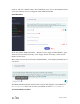
At the left sidebar, APPLICATIONS -> Remote Access, toggle "Enabled DDNS", agree
Terms of Services & Privacy Policy, click "Apply" button. Generally, it takes several
minutes to take effect.
Move mouse to hover the icon besides "Enabled DDNS", it will display the DDNS url of
your device.
The DDNS domain printed on the back label of router has changed. If your DDNS url
is xxxxxxx.gl-inet.com on the back of router, new DDNS url will be xxxxxxx.glddns.com.
3) Check if DDNS is enabled