
User Manual



Page 38 | 150
Use VPN for all process on the router: Generally, the traffic of all processes
running on the router such as GoodCloud will be routed through VPN if there is a
connected VPN client (e.g. WireGuard, OpenVPN, Shadowsocks). In this case, these
processes will lose Internet if VPN is disconnected. In order to ensure a proper
operation of these processes, you can disable this option. As a result, they will not use
VPN.
Please Choose Policy: The item can be either Domain/IP (e.g. gl-inet.com /
192.168.1.1 / 192.168.1.0/24) or Mac address (24:F0:94:5C:8E:F9).
7.3.2. Add VPN policy
You can only configure either Only allow the following use VPN or Do not use
VPN for the following. Click the drop box to switch among Only allow the
following use VPN and Do not use VPN for the following. To add a policy, enter
the domain/IP or Mac address into the box and then click Add. Finally, click Apply to
activate the policy.
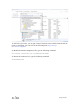
For example, if we want to route only the traffic of netflix.com through VPN, we need
to choose Policy Domain/IP, choose Rule Only allow the following use VPN,
input netflix.com and click Apply.