
User Manual




Page 35 | 150
(3) Get the configuration details for your client
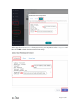
You can now check the list of the clients you added. You can Delete any unwanted client.
Please click Configurations to find the configuration details which you need to use when
you are setting up WireGuard client. We provide QRcode, Plain Text and JSON
configurations currently.
If you are using another GL.iNet router as a client, please copy the JSON configuration
and paste it directly when you are setting up WireGuard client.