
User Manual





Page 136 | 150
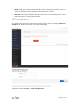
flash.
9. Wait for around 3 minutes. Don’t power off your device when updating. The router
is ready when both power and Wi-Fi LED are on or you can find its SSID on your
device.
10. Revert the IP setting you did in step 6 and connect your device to the LAN or Wi-Fi
of the router. You will be able to access the router via 192.168.8.1 again.
10.4. Change WAN to LAN
You can configure the WAN port of the router so that it can be used as a LAN port.
That's useful when you are using the router in repeater mode which the WAN port is not
required. As a result, you can have one more LAN port.
Especially for GL-AR300M-Lite, it only has one Ethernet port which works as WAN by
default. Therefore, you must connect to it via Wi-Fi. However, once you have connected
to it, you can change its WAN port to LAN so that you can connect to it via an Ethernet
cable.