
User Manual





Page 128 | 150
10.
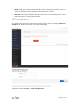
9.7. Network Mode
Change the network mode to cater your usage scenario. You may need to reconnect your
client device whenever you change the network mode of the router.
Be aware that you may not be able to access the web Admin Panel with the default IP
192.168.8.1 if you use the router in Access Point, Extender or WDS mode. If you want
to access the web Admin Panel in this case, you have to use the IP address assigned by
the main router to the GL.iNet router.
Router: Create your own private network. The router will act as NAT, firewall and
DHCP server.
Access Point: Connect to a wired network and broadcast a wireless network.
Extender: Extend the Wi-Fi coverage of an existing wireless network.
WDS: Similar to Extender, please choose WDS if your main router supports WDS mode.