
User Manual




Page 112 | 150
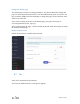
Change the default page
The default page is located /etc/nodogsplash/htdocs/, use SSH or WinSCP to change this
page. For more information about how to use SSH and WinSCP, please access this. You
may need basic HTML and CSS knowledge to change this page, please learn these from
w3school or other sites.
If you want to change the picture on the default page, just replace the image on
/etc/nodogsplash/htdocs/portal_login.png.
After you had change the page, it need to disable Portal and enable Portal again to enable
the modified default page.
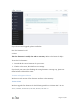
Disable Captive Portal
Follow the steps below to disable Captive Portal.
8.7. Tor
Using Tor in OpenWrt and GLi Routers
Tor feature is builded in from V3.100, please upgrade.