
User Manual




Page 136 | 152
(Power and WAN LEDs will stay on the whole time.)
5. Set your computer’s IP address to 192.168.1.2. Please check the step-by-
step guide for different operating systems below:
Windows 7 / Windows 10
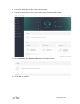
a. Go to Control Panel -> Network and Internet -> Network and Sharing Center ->
Change adapter settings.
b. Right click Local Area Connection -> Properties.
c. Click Internet Protocol Version 4 (TCP/IPv4) -> Properties.
d. Set the IP adress to 192.168.1.2 manually.
Mac
a. Go to System Preferences -> Network.
b. Chooose Ethernet -> Advanced -> TCP/IP.
c. In Configure IPv4, choose Manually.
d. Set the IPv4 Address to 192.168.1.2 manually.