
User Manual




Page 44 | 147
If you are using Windows 10, you also need to enable SMB 1.0.
• Windows 7
Go to Control panel -> Network and Internet -> Network and Sharing Center. Find
if your active network is Home network. If not, click it and change it to Home
network.
• Windows 10
Change your network to private by this tutorial.
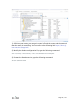
Go to Control Panel -> Programs and Features -> Turn Windows features on or off
-> Find SMB 1.0/CIFS file sharing support, check all SMB1 related items, click
apply and restart your computer.