
Operation Manual
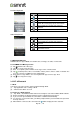



To add Wi-Fi network
(1) Tap Applications tab > Settings > Wi-Fi.
(2) In Wi-Fi screen, tap Menu > ADD NETWORK. An on-screen window will pop-up.
(3) Follow the on-screen instructions and enter the necessary information, then tap “Save” to save
the settings.
3.2 Bluetooth
Bluetooth on your phone operates in three different modes:
On: Bluetooth is turned on. Your phone detects other Bluetooth devices, but your phone is not
visible to others.
Discoverable: Bluetooth is turned on, and your phone is visible to other Bluetooth devices.
Off: Bluetooth is turned off.
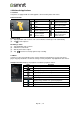
To turn Bluetooth on or off
(1) Tap Applications tab > Settings > Bluetooth.
(2) Switch or tap to turn it on.
(3) Tap “Bluetooth” to view the menu options.
(4) Tap the device’s name to make your device visible to others.
To connect to Bluetooth devices
A connection to a Bluetooth device is called a partnership. You need to pair and create a
partnership with a Bluetooth device to exchange information.
(1) Tap Applications tab > Settings > Bluetooth.
(2) Tap “SEARCH FOR DEVICES” to search for a new device.
(3) Detected Bluetooth devices are displayed on the screen. Tap one device to connect.
(4) Start to pair, enter the password, and then tap “OK” to finish pairing.
Rey R3 |11