
Specifications




From Contact screen
(1) Tap Applications tab > .
(2) Tap a contact to display the contact information.
(3) Tap the icon to send the message.
(4) Compose your message.
(5) Tap to send your message.
NOTE:
If you exit Messages before sending, unsent message will be saved as a draft
automatically.
Google keyboard
2.4 Multimedia Message
A Multimedia message or MMS can contain letters, an image, an audio, or a video file.
To send MMS from Message screen
(1) Tap Applications tab > .
(2) Tap to create a new message.
(3) Enter the recipient’s phone numbers in the “Type name or number” field
(4) Tap to attach picture, video, record audio, contact, pictures, videos, audio or
calendar. The message converts to a MMS message automatically.
(5) Enter your message with the on-screen keyboard in “Type text message” filed.
(6) Tap to send your message.
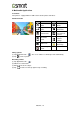
Icons Function
Tap to active Capital letter mode.
Tap to activate the symbols and numerical keyboard.
Tap to input something by voice.
Tap to delete words.
Akta A4|12