
Quick Start Guide




24
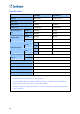
2. Select the cameras you want to set up, and click the Configure button. This dialog box
appears.
Figure 1-21
3. In the Select Hardware-compressed Camera section, select one camera to be
configured.
4. Select the recording quality.
5. The Enable hardware-compressed data FIFO option is disabled by default. When the
option is enabled, the hardware-compressed data from the video IP device, such as IP
camera, video server and compact DVR, will be transmitted directly to remote servers
instead of being compressed again on the DVR. The remote servers include CMS-
related servers and WebCam Server. This feature can decrease the system load of
DVR but increase that of remote servers.
6. To use standard H.264 codec in recording, enable Standard codec in the Recording
codec format section.
7. If you want to apply the same setting to all cameras, click the Finger button in each
section.