
Owner manual
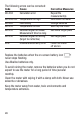

The following errors can be corrected:
Code Cause Corrective Measures
Info 204 Calculation error Repeat the
measurement(s)
Info 208/252 Temperature too high Cool down the meter
Info 220 Low battery Change batteries
Info 253 Temperature too low Warm up the meter
Info 255 Received signal too weak/ Use white target plate
Measurement time too long
Info 256 Received signal too strong Use target plate
(target too reflective)
Error Hardware/uncertainty error Power the meter
off and on
Replace the batteries when the on-screen battery icon
never stops flashing.
Use Alkaline batteries only.
To avoid ruining the meter, remove the batteries when you do not
expect to use the meter for a long period of time (several
months).
Clean the meter with wiping it with a damp soft cloth. Never use
solvents or abrasives.
Keep the meter away from water, toxic environments and
temperature extremes.
28