
User Manual Part 7
Viewing stored patient data
2001989-301A- draft 1 ApexPro™ 8-17
079A
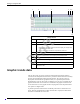
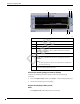
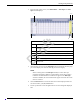
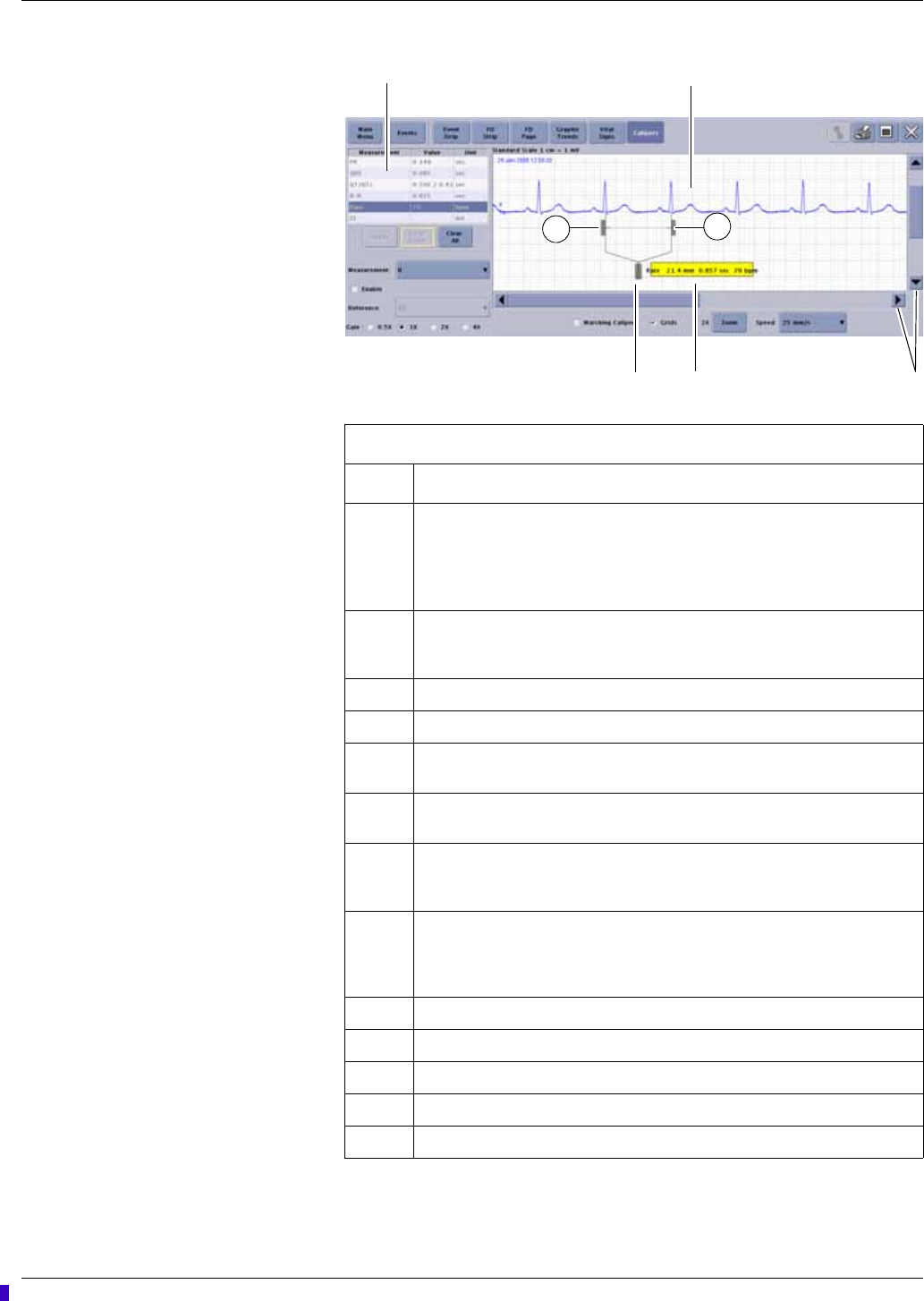
Calipers window
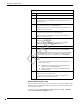
Item Description
1 Measurement table. Enter or clear the waveform measurement values for the
PR, QRS, QT, R-R, and ST intervals or amplitudes.
NOTE
The QTc value is a calculated value.
2 Measurement window. View, measure time intervals and amplitude for
displayed waveforms, and compare the interval of multiple waveform
complexes.
3 Scroll bars. Move up and down or left and right through the displayed data.
4 Calculated measurement label. Click and drag to reposition.
5 Calipers central handle. Click and drag this handle to position the caliper on a
desired waveform complex.
6 Caliper arm handles. Click and drag these handles to resize or reposition the
caliper arms over the waveform.
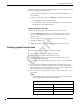
Measurement: Choose one of the following leads to measure: I, II, III, V,
AVR, AVL, and AVF. For telemetry only, a second V lead would be available
for display.
Reference: Fill the Enable box with a check mark and choose one of the
following reference leads for display: I, II, III, V, AVR, AVL, and AVF. For
telemetry only, a second V lead would be available for display. Measurements
taken on a reference lead are not recorded in the measurement table.
Gain: Adjust the gain of the displayed waveform.
Marching Calipers: Compare the rate of multiple waveforms.
Grids: Apply a background grid.
Zoom: Zoom in for a closer look at the waveform.
Speed: Change the sweep speed of the displayed waveform.
1
4
2
3
6
6
5
Draft