Desktop Computer User's Guide
Manuals
Brands
Gateway Manuals
Desktop
Profile 4
211
212
213
214
215
216
217
218
219
220
205
Closin
g the compu
ter case
www
.gatew
a
y
.com
3
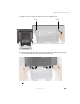
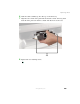
Swing the acc
ess panel down into plac
e.
4
Replace the two screw
s removed previously
.
5
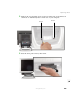
Reconn
ect the extern
al cables an
d power cord.
1
...
...
211
212
213
214
215
...
...
284