Desktop Computer User's Guide
Manuals
Brands
Gateway Manuals
Desktop
Profile 4
211
212
213
214
215
216
217
218
219
220
203
Open
ing
th
e com
put
er c
ase
www
.gatew
a
y
.com
4
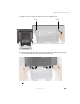
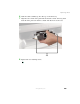
Remove the two screws on the back o
f the computer ca
se.
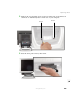
5
W
ith your hands position
ed on each side of the case, swing the acc
ess panel
up an
d aw
ay fr
om t
he
case
and s
e
t
the pa
nel a
sid
e.
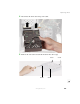
Screw
Screw
1
...
...
209
210
211
212
213
...
...
284