
Owner's Manual




12
www.gateway.com
Chapter 2: Checking Out Your Gateway Notebook
Right side
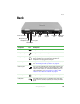
USB ports Plug USB devices (such as a diskette drive, flash drive,
printer, scanner, camera, keyboard, or mouse) into these
ports.
PC Card eject
button
Press the eject button to remove a PC Card from the PC Card
slot. For more information, see “Adding and removing a
PC Card” on page 49.
PC Card slot Insert one Type II PC Card into this slot. For more information,
see “Adding and removing a PC Card” on page 49.
Component Icon Description
DVD/CD-RW or
multi-format
DVD±RW drive
Insert CDs or DVDs into this drive. For more information,
see “Using the CD or DVD drive” on page 44. This drive may
be a combination DVD/CD-RW or multi-format DVD±RW
drive. To determine the type of drive in the notebook,
examine the drive tray’s plastic cover and compare the logo
to those listed in “Identifying drive types” on page 44.
Component Icon Description
DVD/CD-RW or multi-format
DVD±RW drive