
Owner's Manual




11
www.gateway.com
Left side
Left side
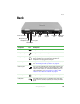
Component Icon Description
Memory card
reader
Insert a memory card from a digital camera, MP3 player, PDA,
or cellular telephone into the memory card reader. For more
information, see “Using the memory card reader” on page 47.
The memory card reader supports CompactFlash
®
, IBM
Microdrive™, Memory Stick
®
, MultiMediaCard™, and Secure
Digital™ cards.
Ventilation fan Helps cool internal components.
Warning: Do not work for long periods with the notebook
resting on your lap. If the air vents are blocked, the notebook
may become hot enough to harm your skin.
Caution: Do not block or insert objects into these slots. If
these slots are blocked, your notebook may overheat resulting
in unexpected shutdown or permanent damage to the
notebook.
Caution: Provide adequate space around your notebook so
air vents are not obstructed. Do not use the notebook on a
bed, sofa, rug, or other similar surface.
IEEE 1394 port Plug an IEEE 1394 (also known as Firewire
®
or i.Link
®
)
device (such as a digital camcorder or external hard drive) into
this 4-pin IEEE 1394 port.
Ventilation
fan
IEEE 1394
port
PC Card
eject button
PC Card
slot
USB
ports
Memory
card
reader
Memory
card
reader