
Quick Reference Guide

CHAPTER3: Setting Up and Getting Started
28
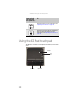
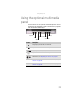
Using the EZ Pad touchpad
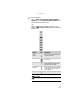
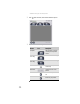
The EZ Pad™ consists of a touchpad, two buttons, and a scroll
zone.
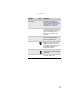
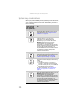
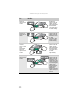
Decrease volume. For more information, see
“Adjusting the volume” on page 36.
Mute the sound. Press the key combination
again to restore the sound. For more
information, see “Adjusting the volume” on
page 36.
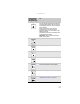
Press and hold
FN
, then press
this system key...
To...
Touchpad
Left button
Right button
Scroll
zone