
Quick Reference Guide







CHAPTER 3: Setting Up and Getting Started
16
Connecting to a broadband
modem or network
You can connect your computer to a cable or DSL modem or
to a wired Ethernet network.
To connect to a broadband modem or to an Ethernet
network:
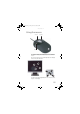
1 Insert one end of the network cable into the network
jack on the back of your computer. To see its
location, see “Back” on page 8.
2 Insert the other end of the network cable into a cable
modem, DSL modem, or network jack.
Connecting a dial-up modem
Your computer may have a 56K modem that you can use with
a standard telephone line to connect to the internet or fax
documents.
To connect the modem:
1 Insert one end of the modem cable into the modem
jack on the modem at the back of your computer. To
see its location, see “Back” on page 8.
2 Insert the other end of the modem cable into a
telephone wall jack. (The modem will not work with
digital or PBX telephone lines.)
3 If you want, you can connect a telephone to the PHONE
jack on the modem on the back of your computer.
Important
Your computer may be equipped with a built-in Ethernet (network) jack.
For information about setting up a wired or wireless Ethernet network, see the
online User Guide.
Warning
To reduce the risk of fire, use only No. 26 AWG or larger
telecommunications line cord.
8512041.book Page 16 Friday, December 15, 2006 5:08 PM