Computer Hardware User Manual
Manuals
Brands
Gateway Manuals
Computer Hardware
E4350
51
52
53
54
55
56
57
58
59
60
46
ww
w
.
gat
eway
.co
m
Chapter 5: M
aintaining Your
Computer
T
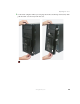
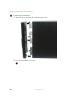
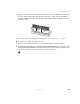
o replace the front bezel:
1
Align the latch p
ins with the computer latch holes.
2
Press the bezel firmly into place.
1
...
...
50
51
52
53
54
...
...
106