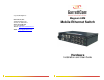
Corporate Headquarters GarrettCom, Inc. 47823 Westinghouse Dr. Fremont, CA 94539-7437 Phone (510) 438-9071 Fax (510) 438-9072 Website: http://www.GarrettCom.com Magnum 6KM Mobile Ethernet Switch Email: support@garrettcom.com Hardware Installation and User Guide www . GarrettCom . com www . GarrettCom .
Magnum 6KM Mobile Ethernet Switch Installation and User Guide 07/10 Magnum™ 6KM Mobile Ethernet Switch Hardware Installation and User Guide Part #: 84-00186Z (Rev. A) Trademarks GarrettCom is a registered trademark and Magnum, Dymec, DynaStar, Personal Switch, Link-Loss-Learn, S-Ring, Convenient Switch and Converter Switch are trademarks of GarrettCom, Inc.
Magnum 6KM Mobile Ethernet Switch Installation and User Guide 07/10 Federal Communications Commission Radio Frequency Interference Statement This equipment generates uses and can radiate frequency energy and if not installed and used properly in strict accordance with the manufacturer's instructions, may cause interference to radio communication.
Magnum 6KM Mobile Ethernet Switch Installation and User Guide 07/10 Table of Contents Page 1.0 SPECIFICATIONS ............................................................................... 1 1.1 Technical Specifications ...................................................................... 1 1.2 Ordering Information ........................................................................... 4 2.0 INTRODUCTION ................................................................................. 6 2.
Magnum 6KM Mobile Ethernet Switch Installation and User Guide 07/10 6.0 TROUBLESHOOTING ...................................................................... 32 6.1 Before Calling for Assistance ............................................................ 32 6.2 When Calling for Assistance ............................................................. 32 6.3 Return Material Authorization (RMA) Procedure ............................. 33 6.4 Shipping and Packaging Information................................
Magnum 6KM Mobile Ethernet Switch Installation and User Guide 1.0 SPECIFICATIONS 1.1 Technical Specifications 07/10 Performance Filtering / Forwarding Rate: Ethernet (10Mb): 14,880 pps Fast Ethernet (100Mb): 148,800 pps Gigabit Ethernet (1000Mb): 1,488,000 pps Switching Processing Type: Store and Forward with IEEE 802.
Magnum 6KM Mobile Ethernet Switch Installation and User Guide 1000BASE-ZX, full duplex, single-mode (9μm cable) - >70km 07/10 Copper 10/100Mb connector types supported: Copper Port, M12-type (4-pin, D-key coded) Copper 1000Mb connector types supported: Copper Port, M12-type (8-pin, A-key coded) Fiber Multi-mode connector types supported: Fiber Port, LC-type, SFF Fiber multi-mode Fiber Single-mode connector types supported: Fiber Port, LC-type, SFF Fiber single-mode LEDs: Per Port (one set at the port) (se
Magnum 6KM Mobile Ethernet Switch Installation and User Guide AC Power Supply (Internal) 07/10 AC Power Connector: RD24 locking, male 100-240VAC Power Input, 47 to 63 Hz (auto-ranging) Power Consumption: 15 watts Max. (for a fully loaded fiber model with 2Gb) 10 watts Max. (for 8 port copper and 100Mb fiber model) Dual –Source DC Power Input (Optional) A Dual-Source option is available for the 12VDC, 24VDC, –48VDC, 110VDC, 125VDC and 250VDC models.
Magnum 6KM Mobile Ethernet Switch Installation and User Guide 1.2 Ordering Information MODEL 07/10 DESCRIPTION Magnum 6KM-110VDC: Magnum 6KM Mobile Ethernet Switch, base unit with four 10/100 M12 copper ports in slot A. Up to 4 100Mb fiber ports or up to four more 10/100 M12 copper ports (or combinations) may also be configured, and up to two Gb ports. Heavy duty metal case, IP52 for environmental protection, no fans.
Magnum 6KM Mobile Ethernet Switch Installation and User Guide Following modules can be configured in Slot C only (Slot C is 10/100 M12 or 100Mb Fiber only) 07/10 Magnum 6KM (Slot C) Port Modules: 6KM4-4M12 adds four 10/100 M12 copper ports P6KM4-4M12 adds four PoE 10/100 M12 copper ports 6KM4-4MLC adds four MM 2Km 100Mb LC fiber ports 6KM4-4SLC adds four SM 20Km 100Mb LC fiber ports 6KM4-4SLCL adds four SM 40Km 100Mb LC fiber ports Following modules can be configured in Slot B only Magnum 6KM (Slo
Magnum 6KM Mobile Ethernet Switch Installation and User Guide 07/10 2.0 INTRODUCTION 2.1 Inspecting the Package and Product Examine the shipping container for obvious damage prior to installing this product; notify the carrier of any damage that you believe occurred during shipment or delivery. Inspect the contents of this package for any signs of damage and ensure that the items listed below are included.
Magnum 6KM Mobile Ethernet Switch Installation and User Guide 07/10 2.2 Product Description - Magnum 6KM Mobile Ethernet Switch Magnum™ 6KM Mobile Ethernet Switches provide configurability in Heavy Duty mobile networking applications. The high performance Magnum 6KM base unit comes with four 10/100 M12 copper ports (either regular or PoE). Up to four 100Mb fiber ports or up to four more 10/100 M12 copper ports, or combinations, may also be configured.
Magnum 6KM Mobile Ethernet Switch Installation and User Guide 07/10 The 6KM managed switches also provides a PoE option via power –inside PoE base unit (6KMP-48VDC) on Slot A and allows the users to utilize up to 4-ports of PoE or 8-ports with additional PoE module (P6KM4-4M12) on Slot C to support 802.3af Powered devices. See details for PoE base unit in sec 5.1.11. The Power Sourcing Equipment (PSE) is fully compatible with Powered Devices (PD)(e.
Magnum 6KM Mobile Ethernet Switch Installation and User Guide 07/10 When the Magnum 6KM Switch detects that its free buffer queue space is low, the Switch sends industry standard (full-duplex only) PAUSE packets out to the devices sending it packets to cause “flow control”. This tells the sending devices to temporarily stop sending traffic, which allows the traffic to catch-up without dropping packets. Then, normal packet buffering and processing resumes.
Magnum 6KM Mobile Ethernet Switch Installation and User Guide 2.4 Features and Benefits 07/10 M12 Copper connections Magnum 6KM Switches utilize M12 connectors to withstand shock and vibration. Ideally suited for the harshest of mobile applications. Managed switching for high performance Ethernet LANs Magnum 6KM Switches provide unicast non-blocking (all ports can run at full speed at once) performance with standard Managed Network Software.
Magnum 6KM Mobile Ethernet Switch Installation and User Guide 07/10 MNS-6K-SECURE (optional, for extra security) Magnum MNS-6K-SECURE software is designed for those customers demanding extra security in their networks. MNS-6K-SECURE is an optional item--licensed per switch. All of the features in regular MNS-6K are included, plus extra security.
Magnum 6KM Mobile Ethernet Switch Installation and User Guide 3.0 07/10 INSTALLATION Before installing the equipment, it is necessary to take the following precautions: 1.) If the equipment is mounted in an enclosed or multiple rack assembly, the steady-state long-term environmental temperature around the equipment must be less than or equal to 600C. 2.) If the equipment is mounted in an enclosed or multiple rack assembly, adequate airflow must be maintained for proper and safe operation. 3.
Magnum 6KM Mobile Ethernet Switch Installation and User Guide 07/10 3.2 Connecting Ethernet Media The Magnum 6KM Switches are specifically designed to support standard Ethernet media types within a single Switch unit. (See Section 5.1 for a description of the Modules) The various media types supported along with the corresponding IEEE 802.3, 802.3D, 802.3u, 802.3AB and 802.
Magnum 6KM Mobile Ethernet Switch Installation and User Guide 07/10 NOTE: for Power Substations: In support of the IEEE 1613 Class 2 standard, GCI advises that, for substation applications, the M12 ports are intended for connectivity to other communication equipment such as routers or telecommunication multiplexers installed in close proximity (i.e., less than 2 meters or 6.5ft) to the 6KM.
Magnum 6KM Mobile Ethernet Switch Installation and User Guide Pair 1 Pin 6 = TX+ (MDI3+) Pin 4 = TX- (MDI3-) Pair 2 Pin 1 = TX- (MDI0+) Pin 7 = TX+ (MDI0-) Pair 3 Pin 5 = RX+ (MDI1-) Pin 8 = RX- (MDI1+) Pair 4 Pin 2 = RX+ (MDI2-) Pin 3 = RX- (MDI2+) 07/10 Fig 3.2.2a 1000Mb 8-Pin A-Coded M12 pin configuration Connecting Single-Mode Fiber Optic When using single-mode fiber cable, be sure to use single-mode fiber port connectors.
Magnum 6KM Mobile Ethernet Switch Installation and User Guide 07/10 3.3 DIN-Rail Mounting the Magnum 6KM The Magnum 6KM is designed for use in a “factory floor” industrial environment. It is available with an optional DIN-Rail bracket to mount it securely in a metal factory floor enclosure, maintained vertically for proper convection cooling of the unit. The Magnum 6KM requires one DINRail bracket for secure mounting. See a 6KM viewed from the bottom, at the rear, showing the DIN Rail in place.
Magnum 6KM Mobile Ethernet Switch Installation and User Guide For best cooling of the 6KM, attach the metal brackets to metal (rather than wood or plastic). Attaching to metal helps conduct heat away from the 6KM through the metal brackets and into the metal support structure. Since the 6KM has special internal thermal techniques to move the heat generated by the electronic components inside into the case, the case may be quite warm to the touch during normal operation. Fig 3.3.
Magnum 6KM Mobile Ethernet Switch Installation and User Guide Fig 3.3.1b Panel / Wall Mounting position 2: The unit is mounted using the brackets as shown in the illustration above. The spacing for the mounting screws into the supporting wall or panel is a rectangle 2.80 x 9.58 inches (7.11 x 24.33 cm) center-to-center. www . GarrettCom .
Magnum 6KM Mobile Ethernet Switch Installation and User Guide 3.4 Powering the Magnum DC 6KM Mobile Ethernet Switches 07/10 The DC internal power supply supports installation environments where the DC voltage is from 10 to 300 volts, depending on the 6KM model selected. The power consumption will range from about 10 up to 15 watts, depending on the port quantity and types in the configuration. When connecting the Ethernet cabling, there is no need to power down the unit.
Magnum 6KM Mobile Ethernet Switch Installation and User Guide 07/10 3.5 Alarm Contacts for monitoring internal power, and Software Traps The Alarm Contacts feature, standard on Magnum 6KM’s, provides two Form Normally Closed (NC) contacts to which the user can attach two sets of status monitoring wires at the green terminal block. The first NC Alarm Contact is a “Software Alarm” (labeled S/W), operated by user settings in the MNS-6K software.
Magnum 6KM Mobile Ethernet Switch Installation and User Guide 3.6 Connecting the Console Terminal to Magnum 6KM 07/10 The 6KM Console port, used to access the managed switch’s software, has an 8-pin M12 (male) port. A console cable with the mating M12 (female) port and both a DB-9 and / or a USB connector is available for purchase from GarrettCom.
Magnum 6KM Mobile Ethernet Switch Installation and User Guide 07/10 NOTE for Power Substations: In support of the IEEE 1613 Class 2 standard, GCI advises that, for substation applications, the (M12) console ports are intended for temporary connectivity to other equipment such as PCs. Since the console port connection is temporary, it is excluded from IEEE 1613 packet-loss testing per the 1613 standard-defined test procedure. 4.
Magnum 6KM Mobile Ethernet Switch Installation and User Guide 07/10 4.2 Auto-Cross(MDIX) and Auto-negotiation, for M12 ports The M12 ports independently support auto-cross (MDI or MDIX) in autonegotiation mode and will work properly with all the other connected devices with RJ-45 ports whether they support Auto-negotiation (e.g 10Mb Hub, media converter) or fixed mode at 10Mb or 100Mb Half/Full Duplex(managed switch) or not. No cross-over cable is required while using the 6KM’s copper port to other devices.
Magnum 6KM Mobile Ethernet Switch Installation and User Guide 07/10 -- the second of the two connected devices is powered up*, i.e., when LINK is established for a port, or -- the LINK is re-established on a port after being lost temporarily. • NOTE – Some NIC cards only auto-negotiate when the computer system that they are in is powered. These are exceptions to the “negotiate at LINK – enabled” rule above, but may be occasionally encountered.
Magnum 6KM Mobile Ethernet Switch Installation and User Guide 07/10 4.4 Power Budget Calculations for 6KM Modules with Fiber Media Receiver Sensitivity and Transmitter Power are the parameters necessary to compute the power budget.
Magnum 6KM Mobile Ethernet Switch Installation and User Guide 5.1.1 6KM Module LED designations PWR LED= ON, when Power is being supplied to the unit.
Magnum 6KM Mobile Ethernet Switch Installation and User Guide LC (100Mb) Fiber port, 2 LED per port L/A LED: ON = LINK established BLINKING = ACTIVITY F/H LED: ON = Full Duplex OFF = Half Duplex LC (1000Mb) Fiber port, 1 LED per port Link/A LED: ON = LINK established BLINKING = ACTIVITY www . GarrettCom .
Magnum 6KM Mobile Ethernet Switch Installation and User Guide 5.1.2 6KM4-4M12, 4 x 10/100Mb M12 (Slot C) 07/10 The 6KM4-4M12 4-port Copper module provides four 10/100Mb switched M12 ports. The 10/100Mb switched ports normally (as a default setting) are independently N-way auto-negotiating and auto-crossover (MDIX) for operation at 10 or 100Mb speed in full- or half-duplex mode. (i.e., each independently selects a mode and speed to match the device at the other end of the twisted pair cable).
Magnum 6KM Mobile Ethernet Switch Installation and User Guide 5.1.3 07/10 P6KM4-4M12, 4 x PoE M12 (Slot C) The 6KM is available with the option of having PoE capabilities on the four M12 ports in slot C. This is used in conjunction with 6KMP-48VDC to add an additional four PoE ports to the existing four PoE ports in slot A.
Magnum 6KM Mobile Ethernet Switch Installation and User Guide 5.1.4 07/10 6KM4-4MLC, 4 x Multimode LC (Slot C) The 6KM4-4MLC 4-port Fiber module provides four 100Mb Multimode LC Fiber ports. The 6KM4-4MLC fiber ports are Small Form Factor (SFF) LC Multimode connectors used primarily in 100Mbps fiber-to-the-desktop links. When installed in a Magnum 6KM Series Switch, it supports fiber optic cable distances up to the IEEEstandard 100Mbps distance limits, i.e.
Magnum 6KM Mobile Ethernet Switch Installation and User Guide 5.1.6 07/10 6KM-2GM12, 2 x Gigabit M12 (Slot B) The 6KM-2GM12 2-port Copper Gigabit module provides two fixed 10/100/1000Mb M12 ports in slot B. There are two LEDs provided for each Gigabit port. Each Copper Gigabit port has LEDs that indicate 10, 100 and 1000Mbps speed (set to AUTO by default). 5.1.
Magnum 6KM Mobile Ethernet Switch Installation and User Guide 6.0 TROUBLESHOOTING 07/10 All Magnum Ethernet products are designed to provide reliability and consistently high performance in all network environments. The installation of a Magnum 6KM Switch is a straight forward procedure. The operation is also straightforward and is discussed in Section 4.0 of this 6KM User Guide.
Magnum 6KM Mobile Ethernet Switch Installation and User Guide 2. 3. 4. 6.3 07/10 An accurate list of GarrettCom product model(s) involved, with serial number(s). Include the date(s) that you purchased the products from your supplier. It is useful to include other network equipment models and related hardware, including personal computers, workstations, terminals and printers; plus, the various network media types being used.
Magnum 6KM Mobile Ethernet Switch Installation and User Guide 6.4 Shipping and Packaging Information 07/10 Should you need to ship the unit back to GarrettCom, please follow these instructions: 1. Package the unit carefully. It is recommended that you use the original container if available. Units should be wrapped in a "bubble-wrap" plastic sheet or bag for shipping protection. (You may retain all connectors and this Installation Guide.
Magnum 6KM Mobile Ethernet Switch Installation and User Guide 07/10 APPENDIX B: DC Single Source Power Input B1.0 Specifications for Magnum 6KM Switches, DC Power at 12, 24, –48, 110, 125 and 250VDC Power input Each Magnum Model 6KM Managed Switch requires DC power input, at 12, 24, 48, 110, 125 and 250VDC nominal. The wide range of DC power input types qualifies this product for use in 12, 24, 48, 110, 125 and 250VDC applications in different industries.
Magnum 6KM Mobile Ethernet Switch Installation and User Guide 07/10 B2.0 12, 24, –48, 110, 125 and 250VDC POWER, THEORY OF OPERATION The 12, 24, 48VDC, 110, 125 and 250VDC power options are designed using diodes inside on each DC power input line behind the two external power connection terminals, so that the power from an external source can only flow into the hub. This allows the Switch to operate only whenever DC power is correctly applied to the two inputs.
Magnum 6KM Mobile Ethernet Switch Installation and User Guide 07/10 NOTE: The GND should be hooked up first. The 6KM unit has a floating ground, so the user may elect to Ground either + or - terminal to suit the customer’s use. Before connecting live power lines to the input connector of –48VDC, 12VDC, 24VDC, 110VDC, 125VDC or 250VDC products, always use a digital voltmeter to measure the output voltage of the power supply and determine the lead which is more “+ve potential”.
Magnum 6KM Mobile Ethernet Switch Installation and User Guide 07/10 APPENDIX C: DC Dual Source Power Input C1.
Magnum 6KM Mobile Ethernet Switch Installation and User Guide C2.0 07/10 MAGNUM 6KM, with DC Dual-Source option The 6KM Switch models with the internal -48VDC, 12VDC, 24VDC, 110VDC, 125VDC and 250VDC Dual-Source power supply are designed for installations where a battery plant is the power source, and where two separate power sources are utilized in order to increase operational uptime and to simplify maintenance. C3.
Magnum 6KM Mobile Ethernet Switch Installation and User Guide Standard 6KM (Dual Source) male DC Power Input connector: Pin 1= A+ Pin 2= B+ Pin 3= B- Pin 4= A- 07/10 A= Primary circuit B= Secondary circuit NOTE: The GND should be hooked up first. The 6KM unit has a floating ground, so the user may elect to Ground either + or - terminal to suit the customer’s use.
Magnum 6KM Mobile Ethernet Switch Installation and User Guide APPENDIX D: AC Power Input D1.0 07/10 Specifications for Magnum 6KM-AC Switches, AC Power input The AC power input connector on the Magnum 6KM Mobile Switch is located on the left front of the unit. The power terminals are connected as shown below. The chassis is “earth” or ground (GND). Each Magnum Model 6KM-AC Managed Switch requires AC power input, at 100-240VAC Power Input, 47 to 63 Hz (auto-ranging).