
Guide



Contact DeLorme Professional Sales for support: 1-800-293-2389 Page 86
where log files are stored when the installation is run in the system context, like when distributing
installations through Active Directory.
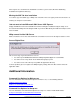
Missing the GIS Tab after installation
You cannot copy an installed copy of XMap onto a machine. There are registry entries that need to be set
and they are unique for each machine.
I do not want to install Microsoft SQL Server 2005 Express
Simply click No when asked to install SQL Server when running the installation using the Setup.exe or
the autorun functionality when inserting the DVD. If you run the MSI directly then SQL Server Express will
not be installed.
XMap cannot find the SQL Server
Make sure that the service has started and make sure that the local user has the right to start the service.
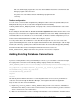
Access Rights Error
This error message is generated for three reasons:
• You cannot open HKLM\Software\DeLorme\XMap7\SysPaths\App\0 for read and write.
• You cannot create a key called “check” within that registry key area.
• You cannot create a file called “pcc.log” within the application directory.
To fix the problem, give users rights to the XMap Registry settings, DeLorme Docs folders and to the
application folder.
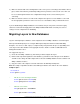
Additional Information
Command Line Options for Msiexec.exe
For more information on Command Line Options for Msiexec.exe, see the following websites:
MSDN Command Line Options
MsiExec.exe Command-Line Parameters
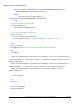
Command Line Options for Setup.exe
For more information on Command Line Options for Setup.exec, visit the Install Shield website:
Setup.exe and Update.exe Command-Line Parameters
.