
Guide




Distributing a Patch using SMS
Contact DeLorme Professional Sales for support: 1-800-293-2389 Page 71
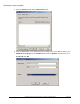
g) On the Assign Program screen, select Yes. Assign the program, and click Next.
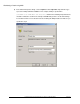
h) Click Finish on the last dialog to close the distribute software wizard. NOTE: You can adjust the
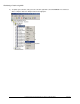
distribution schedule of the advertisement you just created: In the SMS manager, click
Advertisements, right-click the advertisement for your software package, click Properties, then
adjust the schedule on the Schedule tab.