
Guide




Distributing a Patch using SMS
Contact DeLorme Professional Sales for support: 1-800-293-2389 Page 64
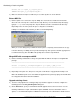
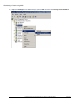
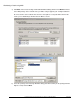
a) Click Next on the Create Package From Definition Wizard dialog and then click Browse. Browse
to the MSI package on the network share you will be using to upgrade your existing installations.
Be sure to browse to the network share and not a local path as a local path will not work for the
clients you are distributing to. Double-click the MSI to select it.
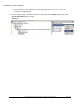
b) Select the package on the Package Definition dialog (this will most likely be the package with the
highest version) and click Next.