
Guide

Distributing a Patch using SMS
Contact DeLorme Professional Sales for support: 1-800-293-2389 Page 60
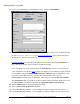
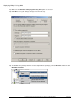
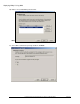
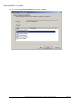
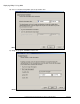
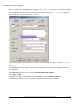
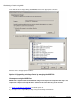
In the Advertisement Target dialog click Browse and click an appropriate collection.
Advertise this to all appropriate machines.
Option 2: Upgrading existing clients by merging the MSP file
Uncompress original MSI files
NOTE: If the original install was distributed using an uncompressed setup then this step is not
required. A compressed setup will have .cab files in the same directory as the .msi file.
1) Create a collection of computers
to install the patch on.
2) Uncompress the original MSI package using the following command line: