
Guide

Distributing a Patch using SMS
Contact DeLorme Professional Sales for support: 1-800-293-2389 Page 58
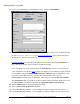
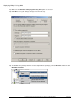
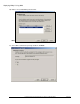
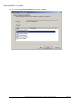
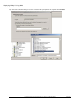
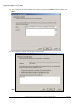
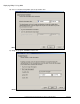
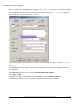
38) The program is now advertised and SMS clients in the selected collection will install the program
according to the selection criteria. NOTE: If you want to change the schedule for the XMap
distribution, then follow the instructions in step 7.
Distributing a Patch using SMS
The following steps describe the process to use SMS for distributing patches using update.exe and its
embedded .msp file. See http://technet.microsoft.com/en-us/library/
cc750177.aspx for more general
guidelines on using SMS for deploying patches.
NOTE: Only one of the options below is required to update clients on which the application is
already installed. Select the approach that best fits your business practices.
Option 1: To upgrade existing clients by using update.exe
Stage the update.exe file to a directory that is accessible by all the machines in the distribution collection.
Find the original deployment package for the application. .
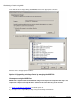
Open the package and right-click Programs to create a new program.
In the Name box, type an appropriate name for the patch.