
Guide

Deploying XMap 7 Using SMS
Contact DeLorme Professional Sales for support: 1-800-293-2389 Page 38
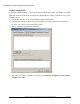
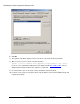
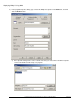
b) Click the Data Source tab. Make sure the This package contains source files option is
selected. Click the Set button and browse to the network share that contains the prerequisite
installer. Make sure the Always obtain files from source directory option is selected. Click OK
to close the dialog.
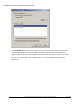
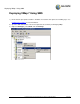
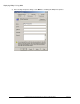
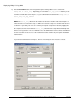
4) Expand the prerequisite package, right-click Programs, point to New, and click Program.