
Guide


Distributing a Patch using Active Directory GPO
Contact DeLorme Professional Sales for support: 1-800-293-2389 Page 35
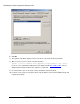
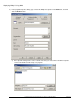
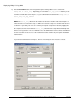
6) Click OK.
7) The updated setup will be deployed on the next reboot of the client machine in the GPO.
8) TIP: Use psexec to force a reboot of all client machines.
"psexec \\<client computer name> gpupdate /Target:Computer /Sync /Boot"
Psexec is a free command line utility that you can download from Microsoft® TechNet
. Once it's
downloaded and installed, add it to the computer's system path.
9) For new machines, just use the latest software installation object in the GPO.
10) For future service packs, just merge the latest .msp file with the current extracted MSI package and
redeploy the package.