
Guide

Distributing a Patch using Active Directory GPO
Contact DeLorme Professional Sales for support: 1-800-293-2389 Page 33
Deploy merged MSI
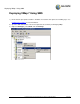
To deploy the updated package, create a new software installation object in the same GPO as the original
application install. See instructions for deploying the original MSI for a step-by-step guide to create a new
installation object.
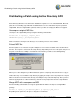
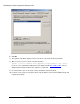
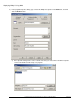
1) In the Deploy Software screen select the Advanced option and click OK.
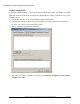
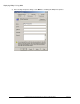
2) In the Properties dialog, specify a name for the upgrade. A good rule of thumb is to keep the name
the same as the current service pack level if possible.
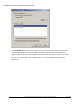
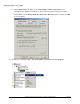
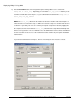
3) Click the Upgrades tab and click the Add button.
4) Click a previous package to upgrade. Also click the option Package can upgrade over the existing
package and click OK.