
Guide

Deploying XMap 7 Using Active Directory
Contact DeLorme Professional Sales for support: 1-800-293-2389 Page 27
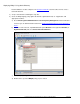
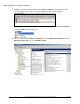
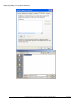
s) Browse to the shared folder you created in step 3, select the DeLorme XMap 7.msi file, and then
click Open. The Deploy Software dialog box opens.
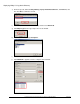
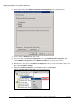
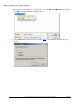
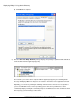
t) Select Advanced to add the transform created in step 2
to the installation and follow the steps
below.