
Guide

Deploying XMap 7 Using Active Directory
Contact DeLorme Professional Sales for support: 1-800-293-2389 Page 26
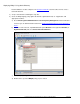
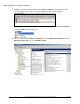
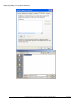
n) On the right, double-click Always install with elevated privileges. A new dialog opens.
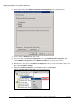
o) Set this option to Enabled, and click on OK.
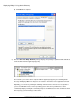
p) In the tree view, expand User Configuration, then expand Administrative Templates, then
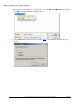
expand Windows Components. Click Windows Installer, then repeat steps n and o.
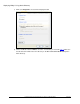
q) With this done, move back to Computer Configuration in the tree view, expand this option, and
then expand Software Settings.
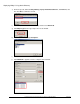
r) Right-click Software Installation, point to New, and then click Package.