
Guide

Deploying XMap 7 Using Active Directory
Contact DeLorme Professional Sales for support: 1-800-293-2389 Page 24
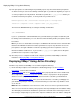
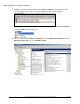
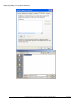
e) On the Scope tab, under Security Filtering, highlight Authenticated Users, click Remove, and
then click OK to confirm the removal.
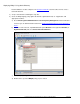
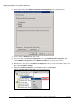
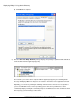
f) Click Add (to the left of the Remove button) and then click Advanced.
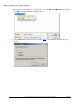
g) Click Object Types in the upper-right corner of the window.
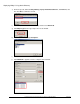
h) Clear all check boxes except Computers.
i) Click OK.
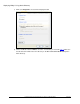
j) Click Find Now to populate all of the computers in the Domain.