
Guide

Deploying XMap 7 Using Active Directory
Contact DeLorme Professional Sales for support: 1-800-293-2389 Page 23
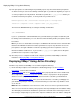
break installations on other computers. The Create a Transform section describes how to create a
transform with Orca.
3) Set up a shared folder containing the setup files.
4) Create an XMap70 group policy against the domain, organizational unit, etc. If applicable, add
appropriate machines.
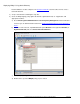
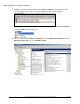
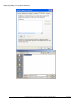
a) Go to Start>Programs>Administrative Tools>Group Policy Management. If this information is
not listed, you can download and install it from: Group Policy Management Console with Service
Pack 1.
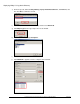
b) In the tree view on the left, expand Forest and expand Domains. Then, right-click Domains (or
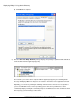
Organizational Unit) and select Create and Link a GPO Here.
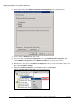
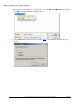
c) Name the policy XMap70.
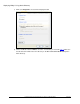
d) Double-click to open the XMap70 policy you just created.