
Guide



Introduction
Contact DeLorme Professional Sales for support: 1-800-293-2389 Page 18
/no_sql_server
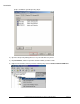
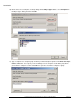
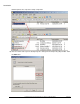
To finish configuring the group policy, click OK, and click OK again in the Startup Properties dialog.
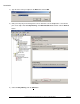
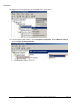
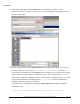
19) The configuration of the group policy for running the prerequisite startup script is complete. Close the
Group Policy Object Editor.
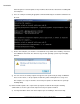
20) Open a command prompt and use any tool for running commands on remote computers. These
examples use psexec.
a) Make sure that psexec is available in your system path, or provide a fully qualified path to psexec
to run it.
b) Run the following command sequence for Windows XP client computers:
i) psexec \\<client computer> gpupdate /Target:Computer /Sync /Boot
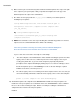
ii) If the boot doesn’t work, so you may have to run:
shutdown –r –m \\< client computer>
Note: Sometimes we have had to run this process twice to get the prerequisite installer to run
on XP client machines on our test network.
c) Run the following command for Windows Vista or newer client computers
psexec \\<client computer> gpupdate /Target:Computer /Sync /Boot
NOTE: If you do not have the Windows Vista service pack 2 or a newer operating system
installed, or you do not have Windows Installer 4.5 installed you will have to run the command
above again after the client computer has finished rebooting. The best way to avoid this scenario
is to make sure any Vista machines on your network are updated with service pack 2, since
Windows Installer 4.5 is included with that service pack.
d) If you have many computers, you may want to create a batch file and run the command pair
against each computer that needs to be updated. Wait for at least half an hour, and re-run the