
Guide



Introduction
Contact DeLorme Professional Sales for support: 1-800-293-2389 Page 17
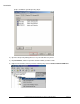
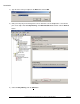
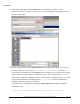
17) On the Add a Script dialog, click the Browse button; a file dialog opens. Double-click the
RunPrerequisites.vbs script that you copied in step 15. This should populate the Script Name box in
the Add a Script dialog.
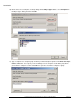
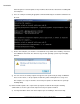
18) Type the script parameter in the Script Parameters box in the Add a Script dialog. There are three
possible parameters you can enter. The /installPath:”<network path>” parameter is
required and is the network path to the Setup.exe in the Prerequisites source folder that you created
in step 2. Enclose the path in quotes if it contains any spaces. The second parameter, /norestart
will prevent the setup from restarting the computer. This will allow your distribution process to control
the prerequisite installation. The third parameter, /no_sql_server, is optional, and will turn off
installing of SQL Server Express if it is provided.
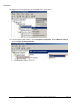
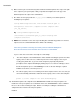
For example, enter something like the following in Script Parameters to install the prerequisites
without SQL server:
/installPath:”\\myserver\stage\prerequisites\setup.exe” /norestart